
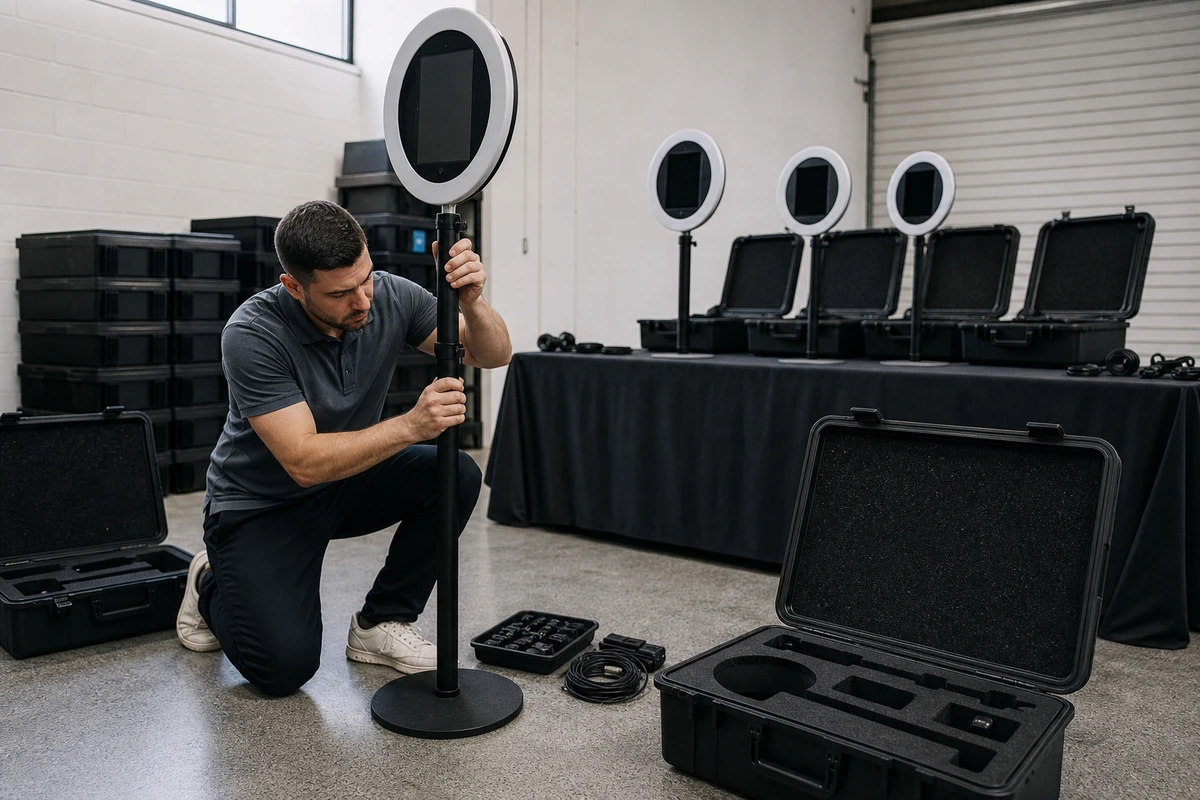
Buying a photo booth for an enterprise is not the same decision as buying one for an event. At ten locations, twenty-five activations a year, and a corporate CRM plugged into the back end, a photo booth is a capital expenditure, a data-processing system, and a brand asset wrapped into one purchase order. It has to clear procurement, finance, legal, IT security, and the program sponsor before a single unit ships. This guide gives you the RFP skeleton, the scoring rubric, the stakeholder map, and the 3-year TCO math to run that process cleanly.
Why enterprise photo booth procurement is a different category
Most published buying advice treats this as a hobbyist decision: pick a style, check the lighting, choose a backdrop. That advice fails at the first cross-functional review meeting. Three things change the moment a single-event purchase becomes a fleet program.
Multi-location deployment turns a unit purchase into fleet management
First, multi-location deployment turns a unit purchase into fleet management. Storage, freight, firmware updates, spare parts, and on-site staff training scale linearly with location count. Second, captured emails and faces turn the booth into a privacy program. Under GDPR Article 28, any vendor processing PII on your behalf must be bound by a Data Processing Agreement; under CCPA/CPRA, California guests must receive a privacy notice at the point of collection (EDPB consent guidelines, 2020/2024). Third, branded templates turn the asset into a trademark-controlled deliverable, which means brand and legal want to review template ownership and data portability before the contract is signed.
The question the buyer is actually answering is which vendor and which ownership model minimizes total 3-year cost while satisfying security, brand, and program-operations requirements across N locations and X activations per year. “Which booth is best” is the wrong question.
Three triggers almost always escalate a photo booth purchase to enterprise procurement rules:
- The purchase amount clears the company’s CFO approval threshold. Procurify’s 2025 benchmark (drawing on more than $20 billion in managed spend) reports that mid-market companies routinely route purchases above $5,000 to the CFO, and Moxo’s published approval matrix puts $10,001–$50,000 in CFO territory and $50,001+ at CEO/Board (Procurify 2025; Moxo 2025). A 10-location rollout with software, hardware, and freight clears CFO territory on day one.
- The booth captures PII (email, phone, face). That triggers the privacy review, the DPA request, and the consent-flow audit.
- The booth deploys at more than one location or operates through a third-party activation agency. That triggers the MSA review, the certificate of insurance request, and the additional-insured endorsement.
If any of those three apply, you are not buying equipment. You are buying a vendor.
The six stakeholders who have to say yes
Each one has a different mental model of what they are signing off on. Get the answer to their objection into the RFP itself and you cut three weeks off the cycle.
Program sponsor (CMO’s team, experiential lead, or HR/Internal Comms). Wants brand fidelity, measurable outcomes (UGC reach, opted-in emails, NPS lift), and a deployment that non-technical venue staff can run. Objection: “Will it look on-brand and will employees actually use it?” Disarm: bring the success metric, the template-review loop, and a one-page activation SOP.
Procurement
Wants a scored RFP, at least three bids, a defensible paper trail, and a vendor that fits the existing vendor-master schema. Objection: “This looks like a sole-source.” Disarm: run a proper RFI/RFP and document the scoring. Ivalua’s published vendor-selection framework (Keeley, 2026) is the standard reference if procurement asks where the process came from.
Finance / CFO’s office
Wants the 3-year TCO, the capitalize-vs-expense decision, and the cash-flow profile. Objection: “Why buy instead of rent? Show me the break-even event count.” Disarm: a one-page TCO with the break-even event count circled (the math is below).
IT / Security
Wants SOC 2 Type II (or ISO 27001), a SaaS security questionnaire response, network egress requirements, MDM compatibility, and an incident-response contact. Objection: “Who owns the captured data, and how is it transmitted?” Disarm: request the vendor’s security questionnaire and SOC 2 report before the IT meeting; if the vendor lacks a SOC 2, get an explanation in writing (more on this below).
Legal / Privacy
Wants the DPA, the retention schedule, the consent flow, GDPR/CCPA posture, and (if face-matching or AR identification is in scope) a BIPA review. Objection: “What’s the legal basis for collecting and retaining guest images?” Disarm: confirm the lawful basis (consent under GDPR Article 6(1)(a) for marketing data is the standard answer per EDPB consent guidelines) and bring a defined retention period.
Facilities / Operations
Wants power, floor-plan fit, accessibility, theft deterrence, and a clear answer on freight and storage. Objection: “Where does this live when it’s not in use, and who pays the freight?” Disarm: get the dimensions, weight, power draw, and case specs into the RFP response template, and require ADA configuration documentation.
The CFO, HR, and CMO alignment conversation (before you write the RFP)
The program sponsor’s job before opening the RFP is a 30-minute conversation with each of these three. Skip it and the RFP is dead on arrival in the approval chain.
Contact capture
With the CMO or brand lead, agree the success metric in writing. Examples: 10,000 branded shares per year, 4,000 net-new opted-in emails per year, a 1.2x lift in attendee NPS at activated venues. This is what marketing puts in the post-mortem and what finance compares against the TCO. Also agree the brand-asset review loop for templates so production doesn’t stall on a missing logo treatment.

With HR / Internal Comms (if the use case includes employee engagement, culture events, or hiring fairs), agree the consent language, the retention policy, and the opt-out path. HR’s biggest blocker is rarely cost. It is an employee three months later asking why their face is in the marketing asset library. Pre-empt this with an employee-context consent screen that names the use, names the retention period, and offers a frictionless deletion request.
With the CFO or Finance director, agree the capital classification (capex vs. opex), the depreciation period, and the budget line. Computers and tablets are 5-year MACRS property under IRS Publication 946 (IRS, current edition); most enterprises keep tax depreciation at 5 years and book depreciation at 3 years for electronics, but the CFO’s deputy will care which method is in the sign-off doc. Tax planning note: the Tax Cuts and Jobs Act removed tablets from “listed property,” and bonus depreciation (phasing down to 20% in 2026 per IRS guidance) or a Section 179 election can accelerate the write-off on year-one hardware if the program sponsor raises it early. Bring a one-page TCO showing the break-even event count and the capex-vs-opex split (hardware capitalized, SaaS expensed).
A simple 3x3 alignment table on one page (stakeholder → what they want → what to bring) will save you two meetings.
What to actually put in the RFP
A reusable, photo-booth-specific RFP skeleton, twelve sections:
- Scope and locations. Number of locations, square footage of activation footprint, available power, network constraints, activations per year per location, and indoor/outdoor mix.
- Functional requirements. Capture modes (still, photo strip, GIF, boomerang, 360°, AI background, video), delivery modes (email, SMS/MMS, AirDrop, AirPrint, QR, WhatsApp), and whether print or digital-only.
- Hardware requirements. Form factor, enclosure (anodized aluminum or polymer), lighting (lumens, CRI, color temperature), ADA compliance configuration, travel case dimensions and weight, power draw. Vendor product pages that publish these numbers (Simple Booth’s HALO kit, for example, lists 2,100 lumens from 112 LEDs in a machined aluminum chassis with a 50,000-hour LED rating) make scoring straightforward; vendors who hide behind “studio-grade” marketing language do not.
- Software and data. Capture-side data model, supported CRM/ESP integrations (Salesforce, HubSpot, Marketo, Klaviyo, Mailchimp), brand template management, real-time analytics dashboard, export formats.
- Security and compliance. SOC 2 Type II report (or ISO 27001), full SaaS security questionnaire response (CAIQ or similar), MDM support, network egress list, incident-response contact and SLA, encryption-in-transit and at-rest specifics.
- Privacy. Signed DPA, GDPR posture, CCPA/CPRA posture, BIPA posture (only relevant if face-matching), retention schedule with deletion SLA, data portability format, consent capture UI.
- Support and SLA. Response times by severity, on-site support availability, spare-parts stocking, firmware update cadence.
- Warranty. Hardware warranty term, covered failure modes, RMA turnaround.
- Insurance. Certificate of insurance with the customer as additional insured, general liability limits, cyber liability limits scaled to data volume.
- Pricing structure. Unit price vs. subscription, per-event fees, consumables, freight, optional on-site staffing, multi-unit discount schedule.
- References. Three enterprise references at similar scale, ideally one in the same vertical.
- Implementation. Staging, first-deployment support, admin training, documentation library.
A weighted scoring rubric (total 100) adapted from the standard enterprise RFP scoring frameworks documented by Responsive (Martin, 2026) and Ivalua (Keeley, 2026):
| Criterion | Weight |
|---|---|
| Total cost of ownership (3-year) | 25 |
| Compliance and security | 20 |
| Functional fit and feature parity | 20 |
| Support and SLA | 15 |
| References and stability | 10 |
| Implementation and time-to-first-activation | 10 |
Run this in two stages
Run this in two stages. First, pass/fail on the non-negotiables (DPA, COI, ADA configuration, working integrations to your CRM). Then weighted scoring on the survivors. Sharing the scoring weights with vendors upfront produces stronger proposals because vendors can calibrate their responses against your priorities (Martin, 2026).
The 3-year TCO model
This is the only math the CFO actually reads. Build it from the ground up, not from vendor proposals.
Scenario: 10 locations, 25 activations per location per year = 250 activations per year.
Option 1: Rent staffed from an agency. Agency-run activations commonly land around $2,500 all-in per event (hardware, attendant, props, freight); at that rate, 250 activations cost $625,000 per year. Three-year cost: $1,875,000. Treat the $2,500 figure as an industry working number and confirm against quotes in your region.
Option 2: Own the fleet
Option 2: Own the fleet. Year-one capex of roughly $40,000 for 10 iPad-based units, software subscription of $18,000–$30,000 per year for 10 licenses (varies by tier and vendor), consumables at $20,000 per year, freight between locations at $30,000 per year, and one FTE program manager at $120,000 per year fully loaded. Year one totals roughly $228,000; years two and three run roughly $188,000 each. Three-year cost: roughly $604,000.
Option 3: Hybrid
Option 3: Hybrid. Own 10 units for the recurring program, supplement with two staffed rentals for flagship activations. Roughly $604,000 plus $50,000 per year of flagship rentals. Three-year cost: roughly $754,000.
By analogy to trade-show exhibit economics, the break-even on ownership lands at roughly 5–7 activations per location per year for an iPad-based deployment. Pure Exhibits’ published trade-show TCO data shows the same break-even shape: ownership tips ahead of rental once a fleet runs more than five to six events annually and the design stays consistent (Ahmed, Pure Exhibits, 2026). Their 3-year math for a 20x20 exhibit at three shows per year ($140,000–$220,000 to own vs. $85,000–$126,000 to rent) is the closest published analog and makes a useful CFO benchmark alongside the photo-booth-specific numbers above. The comparison is not one-for-one (trade-show exhibits have higher freight and I&D costs than iPad kiosks), so present it as a directional reference, not a precedent.
The hidden costs SMB guides skip, all of which belong on the TCO page:
- Climate-controlled storage between activations
- Round-trip freight per location per activation
- Insurance riders on owned hardware (separate from cyber liability)
- Admin and IT time for firmware and account management
- CRM-integration development hours (a one-time cost the vendor’s quote will not include)
- Staff training hours per rollout, per location
The capex vs
The capex vs. opex split matters more than people expect. Hardware is capitalized and depreciated over 5 years for tax (3 years for book is common). SaaS subscription is opex deducted in the year paid. Whether your CFO sign-off looks easy or hard depends on which budget has room. If the marketing opex line is fully committed but capital budget is open, owning the hardware is easier to approve than a larger rental program even when the rental program scores higher on flexibility.
Contract terms that matter (and the three that kill deals)
- Data ownership and portability. Vendor MSAs often default ownership of “Customer Data” to ambiguous joint ownership or grant the vendor broad reuse rights. Rewrite to: “Customer owns all Customer Data; Vendor acts as processor under the DPA. Customer may export Customer Data on demand in CSV and JSON formats at no additional charge.”
- Termination for convenience plus data deletion SLA. Vendor must delete all customer data within 30 days of termination and provide written certification.
- Brand and template IP. Templates, overlays, and any branded microsites created for the program belong to the customer. Default vendor language often classifies these as “derivative works” the vendor retains rights in. Fix this.
- Uptime SLA for cloud-dependent features. If email or SMS delivery depends on the vendor’s cloud, 99.5% is table stakes; 99.9% is reasonable to ask for.
- Support SLA tiers. Sev 1, Sev 2, Sev 3 with both response and resolution targets, not just response.
- Indemnity for IP and privacy claims. Non-negotiable if the software ships with stock templates, stock music, or AI-generated overlays.
- Insurance. COI with customer as additional insured, general liability and cyber liability limits scaled to your data volume.
The three clauses most likely to fail enterprise legal review: a weak or missing DPA, vendor-default data ownership language, and liability caps that exceed the fees paid in the prior 12 months. Flag all three to legal at kickoff so they are not a surprise at redline.
Privacy and biometric exposure (the part most guides get wrong)
A standard photo booth that takes a picture and emails it to the guest is not collecting “biometric identifiers” under Illinois BIPA. The Northern District of Illinois held in Martell v. X Corp. (2024) that biometric identifiers under BIPA must actually identify an individual, and BIPA’s statutory text excludes photographs and information derived from photographs from the definition of biometric information (Inside Privacy / Covington & Burling, Canter et al., 2024).
The consent workflow
The line crosses when the booth runs face-matching or face-tagging that maps to a specific person’s identity. AR filters that smooth skin or replace backgrounds do not, by themselves, cross that line. AI face-matching against a contact database does. If the use case includes anything that identifies an individual from a face, get the DPA reviewed by counsel with biometric privacy expertise and assume Illinois (BIPA), Texas (CUBI under Tex. Bus. & Com. Code §503.001), and Washington biometric provisions all apply. Note that Texas CUBI is enforced by the state attorney general (no private right of action), which lowers the class-action risk profile but not the compliance obligation.
For everything else (capture an email, capture a photo, deliver both to the guest, store both for the operator’s marketing use), the lawful basis under GDPR is consent per Article 6(1)(a). Pre-ticked boxes do not qualify, the consent screen must be specific about what is collected and how it will be used, and a withdrawal mechanism must be accessible. The vendor processing the data on your behalf is a processor under Article 28 and must sign a DPA. Under CCPA/CPRA, California residents must receive a privacy notice at the point of collection. The booth’s consent screen typically does double duty for both regimes if it is written carefully.
Salesforce’s Dreamforce 2024 program is the strongest enterprise reference point for this consent architecture. Salesforce partnered with Wicket for facial-authentication badge pickup, hit a 60% opt-in rate across 45,000+ attendees, and processed 14,000 people in five hours on day one (Event Marketer field report, Huddleston, 2024). Two design choices made it work: the consent was opt-in with a clear value exchange (faster badge pickup, not a marketing offer), and facial data was used for authentication only and not retained beyond the event. That is the model to copy when the consent surface gets harder. It also demonstrates that a well-designed opt-in flow clears 50% adoption at enterprise scale, which is the only empirical benchmark worth citing when a stakeholder argues “nobody will opt in.”
The accessibility requirement most RFPs miss
Touchscreen kiosks must be operable from a seated position. The Kiosk Industry Association puts interactive controls at 15–48 inches above the floor for unobstructed front reach, with a 30 by 48 inch clear floor space for both front and side approach (Keefner, 2024). A headphone jack is required to trigger speech-output mode for visually impaired users, and speech output itself is required.
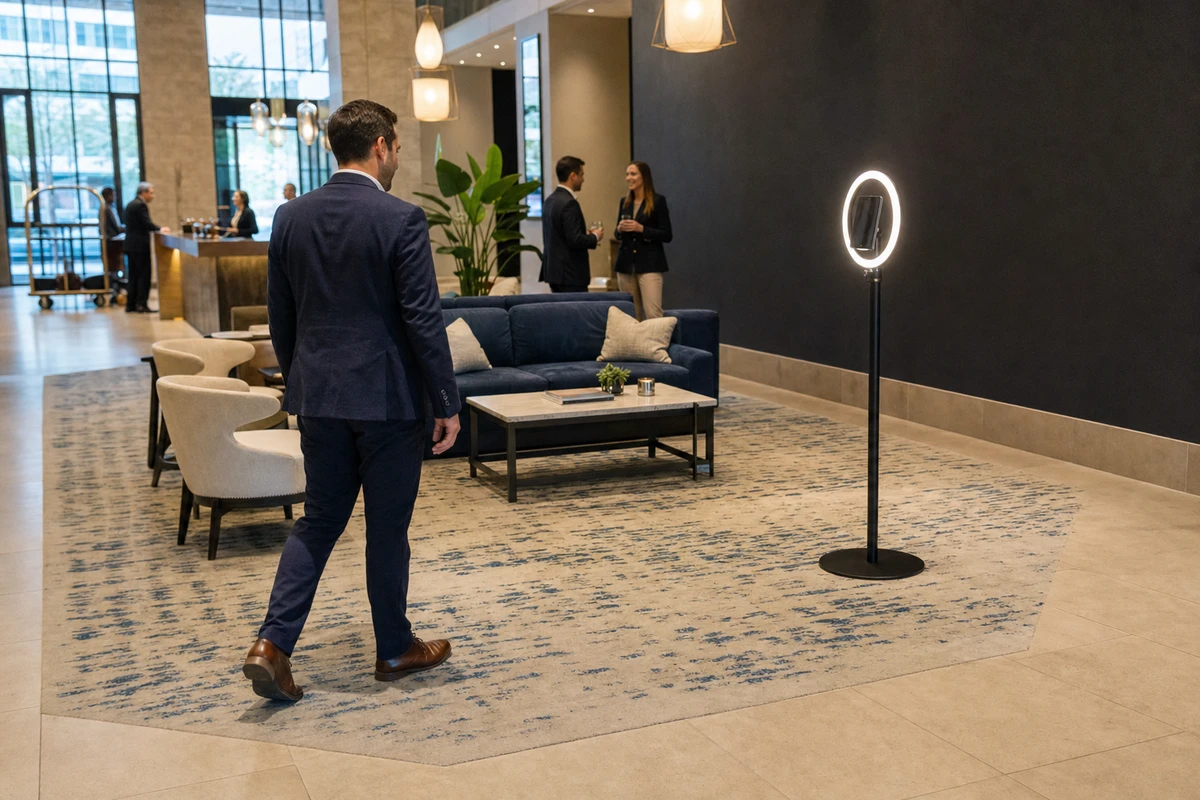
US Access Board kiosk-specific rulemaking is still in progress as of the 2024 HHS Section 504 Final Rule, so the current standards derive from the ADA 2010 Standards and Section 508. The practical takeaway for the RFP: do not accept a checkbox claim of “ADA compliant.” Require the vendor to specify which configuration meets ADA reach ranges, what the screen-reader behavior is when headphones plug in, and what testing has been done. Standard freestanding selfie stands rarely meet ADA reach ranges out of the box without configuration, and vendor product pages typically do not document the configuration required. Treat this as an area where vendor self-certification is unreliable and where your facilities lead needs to verify the installed height at each site.
The approval workflow and realistic timeline
| Stage | Time |
|---|---|
| RFP drafting | 1–2 weeks |
| Vendor outreach and proposals | 3–4 weeks |
| Scoring and shortlist | 1 week |
| References and sandbox pilot | 2–3 weeks |
| Contract redlines | 2–6 weeks |
| PO issuance and first shipment | 1–2 weeks |
Realistic total: 10–16 weeks from kickoff to first deployment. Contract redlines are the widest variable, driven by legal’s backlog and how clean the vendor’s MSA is to start. Companies with a pre-negotiated MSA template can compress the full cycle to 6–8 weeks; most do not have one for this category at the start.
The most common bottleneck is the final approval step at finance/AP. Procurify’s 2025 benchmark documents the pattern: CFOs are juggling dozens of approvals a week, and POs without an attached one-page TCO frequently stall in Slack and email rather than in the approval system (Kerr, 2025). The fix is mechanical. Submit the PO through a procurement ticket, attach the TCO one-pager, pre-brief the CFO’s deputy, and reference the RFP scoring summary by document number. Do not ask the CFO to read a 40-page proposal.
Red flags and vendor disqualifiers
Use this as a 30-second screen during the proposal review, before scoring:
- No SOC 2 Type II report and no willingness to complete a security questionnaire (disqualifier in regulated industries; in others, ask for a written explanation and timeline)
- No DPA template
- “Data ownership” language that defaults to the vendor
- Pricing structure that requires all software to live on the vendor’s cloud with no portability
- No published uptime SLA
- Cannot produce three enterprise references at similar scale
- Hardware warranty under 12 months
- No documented ADA-compliant configuration
- Freight, storage, and consumables not itemized in pricing
- Support coverage limited to business hours in a single time zone
A note on SOC 2. A first-year SOC 2 Type II audit runs $20,000–$85,000 for SMBs and $30,000–$150,000 for larger or more complex environments, with a 6–12 month timeline (Vanta, 2026). Smaller vendors often lack one for cost reasons rather than negligence. If the rest of the security questionnaire is thorough and the data handling is sound, a missing SOC 2 is workable for non-regulated industries; in regulated ones (financial services, healthcare, government contractors) it is usually a hard stop.
What to do this week
Four actions for the program sponsor before the next meeting:
- Lock the scope on one page: locations, activations per year, success metric, budget envelope.
- Draft the TCO one-pager using the model above and ship it to Finance with a note asking for the preferred capital classification.
- Send a short intake form to IT Security and Legal asking what they will need (security questionnaire format, DPA template, retention schedule, BIPA review trigger). Pre-empt the request before they raise it.
- Draft the RFP from the twelve-section skeleton and send it to at least three vendors, with the scoring weights attached.
Do those four things and the rest of the process is execution.
FAQ
What dollar threshold moves a photo booth purchase into enterprise procurement territory? The exact threshold varies by company size, but the pattern is consistent: most mid-market companies route purchases above $5,000 to the CFO and purchases above $50,000 to CEO/Board sign-off (Moxo 2025; Procurify 2025). A 10-location photo booth deployment with hardware, software, freight, and a program manager almost always clears the CFO threshold on day one.
Do we need a DPA for a photo booth that captures emails? Yes, if any captured PII belongs to EU residents. Under GDPR Article 28, the vendor processing personal data on your behalf is a data processor and must be bound by a Data Processing Agreement (EDPB consent guidelines, 2020/2024). Under CCPA/CPRA, California guests must receive a privacy notice at the point of collection and the consent screen must disclose the use.
Should we buy or rent for a 10-location, 20-event-per-year program? Buy or run a hybrid. By analogy to Pure Exhibits’ documented 5–6 events-per-year break-even for trade-show exhibit ownership (Ahmed, 2026), the break-even on a photo booth fleet lands at roughly 5–7 activations per location per year for an iPad-based deployment. At 20 events per year, ownership wins on cost; the question is whether the program needs staffed flagship activations on top of the owned fleet (the hybrid path).
What are the must-have security and compliance items in a photo booth RFP? SOC 2 Type II report (or a written explanation of why not), a signed DPA with a defined retention period and deletion SLA, GDPR and CCPA posture documentation, a SaaS security questionnaire response, an MDM compatibility statement, and a network egress list for IT to whitelist. For face-matching or AR identification use cases, add a BIPA review and Texas CUBI/Washington biometric review.
How long does the full procurement process realistically take? 10 to 16 weeks from kickoff to first deployment for a first-time enterprise photo booth procurement, with contract redlines as the widest variable. Companies with a pre-negotiated MSA template can compress this to 6–8 weeks; most do not have one for this category at the start.
Sources
- Ahmed, T. (2026). “Rent or Buy a Trade Show Booth? The Complete Decision Guide.” Pure Exhibits. https://www.purexhibits.com/rent-or-buy-trade-show-booth/
- Canter, L., Cahoy, K., and McCullough, T. (2024). “Illinois Federal Court Dismisses BIPA Suit Against X, Holding ‘Biometric Identifiers’ Must Identify Individuals.” Inside Privacy (Covington & Burling LLP). https://www.insideprivacy.com/privacy-and-data-security/illinois-federal-court-dismisses-bipa-suit-against-x-holding-biometric-identifiers-must-identify-individuals/
- European Data Protection Board (2024). “Guidelines 1/2024 on Processing of Personal Data Based on Article 6(1)(f) GDPR.” https://www.edpb.europa.eu/our-work-tools/documents/public-consultations/2024/guidelines-12024-processing-personal-data-based_en
- Huddleston, A. (2024). “Field Report: 10 Things We Loved at Dreamforce 2024.” Event Marketer. https://www.eventmarketer.com/article/field-report-10-things-we-loved-at-dreamforce-2024/
- Internal Revenue Service. “Publication 946: How To Depreciate Property” (current edition). https://www.irs.gov/publications/p946
- Keefner, C. A. (2024). “ADA Kiosk Accessibility Multi-Point Checklist – Draft 2024.” Kiosk Industry Association. https://kioskindustry.org/ada-kiosk-accessibility-multi-point-checklist-draft-2024/
- Keeley, D. (2026). “Vendor Selection Process Explained: From RFP to Final Decision.” Ivalua. https://www.ivalua.com/blog/vendor-selection-process/
- Kerr, M. (2025). “Purchase Approval Workflow Examples for Mid-Market Teams.” Procurify. https://www.procurify.com/blog/purchase-approval-workflow-examples/
- Martin, A. (2026). “A Guide to RFP Evaluation Criteria: Basics, Tips, and Examples.” Responsive. https://www.responsive.io/blog/rfp-evaluation-criteria
- Moxo (2025). “A Guide to Building an Approval Matrix: Benefits, Examples, and Implementation.” https://www.moxo.com/blog/approval-matrix
- Vanta (2026). “How Much Does a SOC 2 Audit Cost?” https://www.vanta.com/collection/soc-2/soc-2-audit-cost