
A cosmetics store clears a corner near the entrance for a holiday activation. The plan is modest: a small booth, a branded photo every shopper can text to themselves, a reason to stop walking and start engaging. Then a question lands on the operator’s desk. Does the booth need a printed backdrop wall behind it, or does an AI background removal photo booth make that wall unnecessary?
The question sets up the wrong fight. AI background removal and a physical backdrop do not compete for the same job. One controls what appears behind the customer in the finished photo. The other controls what the booth looks like sitting in the store. Most in-store activations end up using both. The decision that actually carries money is narrower: a printed backdrop is a one-time cost, AI removal is a recurring per-photo cost, and the breakpoint between them depends on how many photos the booth takes and how long the activation runs.
What AI Background Removal Actually Does (and What a Physical Backdrop Does)
Picture the same booth from two angles. From the customer’s phone, the photo shows a person standing in front of a branded scene: a product shot, a city skyline, a flat brand color. From across the store, the booth shows a person standing in front of whatever is physically there: a printed wall, a fabric panel, a small branded structure, or a bare tablet on a stand.
Digital and Physical Backgrounds
Those are two different backgrounds, and they get confused because the word is the same.
The digital background is what lands in the finished image. The physical backdrop is the object behind the customer in the room. AI background removal works on the first one only. It uses image segmentation: the software finds the human subject pixel by pixel, masks out everything else, and drops in the chosen scene. It does not key out a color. It recognizes people.
That distinction settles a misconception that runs through most coverage of the topic. One rental company sums up AI removal as “bye-bye green screen” (JujuBooth, 2025), and the phrasing is correct as far as it goes. The green screen was never the point. It was a removal aid, a flat color the old software could find and delete. AI removal makes that aid unnecessary. What it does not do is remove the need for the booth to look like something a shopper wants to walk toward. A booth can produce a flawless digital background and still be invisible on the floor.
Three Ways to Control the Background in a Booth Photo
An operator comparing booth software sees a line item called “background options” and assumes it is one feature with an on-off switch. It is three different methods with three different cost and reliability profiles, and the product marketing rarely separates them.
The printed backdrop, with no removal at all. The background in the photo is the real wall behind the customer. Nothing is processed, nothing is sent anywhere, the photo is ready the instant it is taken. The catch is that the look is fixed for the life of the print: one background, every photo, until the activation ends.
Green screen with chroma key
Green screen with chroma key. A solid green or blue wall is detected and swapped for a digital scene. It works offline and shows the swap in the live preview, so the customer sees the final look while posing. The failures are physical. Snappic’s support documentation is blunt about the main one: “a green screen cannot selectively key out only certain areas in the frame; any green detected will be replaced” (Snappic, 2025), which means a customer in a green sweater partly vanishes. Green light also spills onto hair and skin, and the swap needs even lighting that holds steady all day. The green wall itself is not something a brand wants on display.
AI background removal
AI background removal. No colored wall required. This is where the single most useful distinction in the topic gets skipped, because “AI” is not one choice. It splits in two.
On-device removal runs on the tablet itself. Breeze’s documentation describes its built-in version as fully local, with “no 3rd party services or internet” required, and it supports a live preview (Breeze Software, 2023). There is no per-photo fee. The constraint is hardware: Breeze names the A11 processor, found in 2019 and newer devices, as the minimum, so an older tablet in an operator’s existing fleet may not run it at all.
Cloud removal sends each photo to a removal service over the internet. The cutout quality is generally the highest of the three, but Snappic’s documentation names two real costs. Online removal “requires an active internet connection” and “uses background removal credits,” and it “does not show the background removal in the live preview” (Snappic, 2025). The customer poses against the raw background and sees the finished swap only after processing.
On-device and cloud AI have nearly opposite profiles. One is free per photo, works offline, and needs newer hardware. The other costs money per photo, needs reliable Wi-Fi, and produces cleaner edges. An operator who treats “AI removal” as a single line item has skipped the decision that matters.
What Changes When the Booth Lives in a Store
A weekend event booth has an operator standing beside it for six hours. A semi-permanent retail install can run for weeks with nobody assigned to it, sharing the building with the registers and the stockroom. Four things change when the booth stops being an event rental and becomes store furniture.
Floor space is inventory
Floor space is inventory. A retail floor earns money per square foot, and an 8x8 backdrop wall is floor the store is not selling product from. Breeze states the economics in three words: “floor space costs $$$” (Breeze Software, 2023). A booth that needs no colored wall and no large backdrop returns that space, and for a tight store that is the strongest single argument for AI removal. The Toronto rental company Snapshot Photobooth puts it from the operator’s side: a bulky “8x8 backdrop… rarely works in a retail environment or small space” (Snapshot Photobooth, 2023).
The booth still has to attract
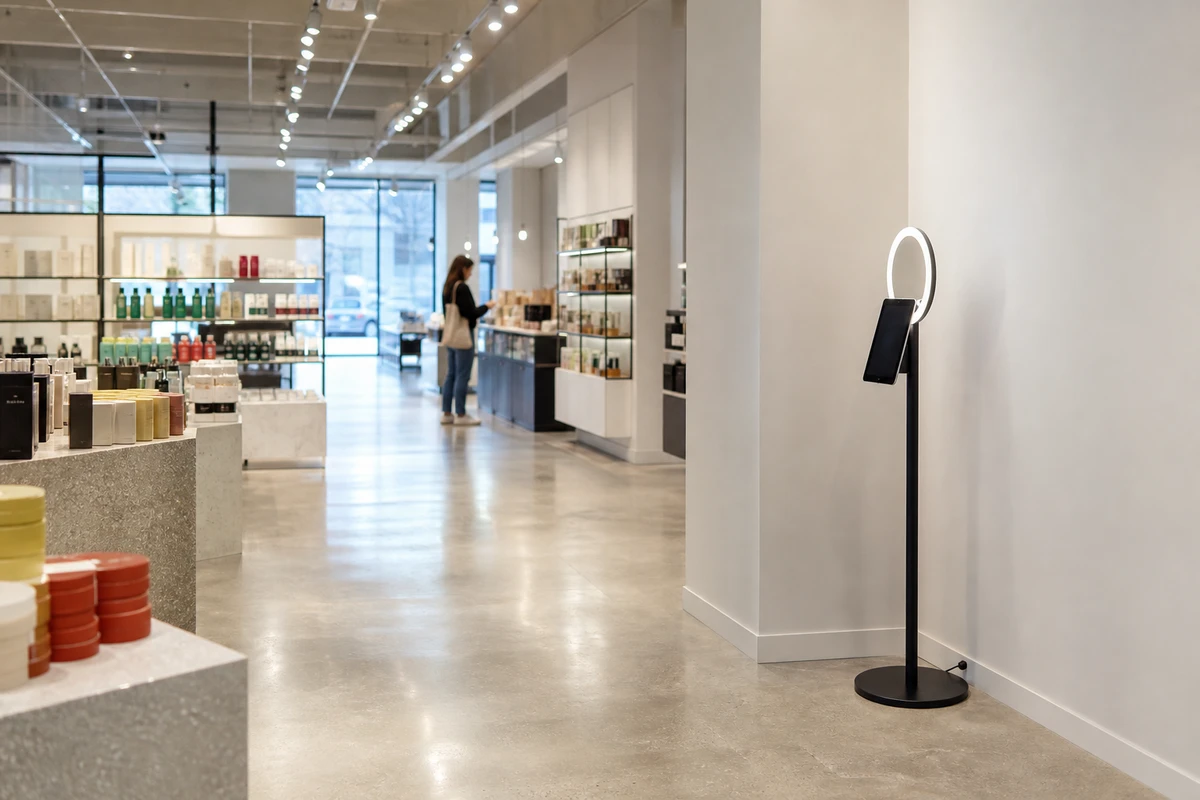
The booth still has to attract. This is where the misconception costs money. A booth that is only a tablet on a stand is invisible to a shopper walking past. The physical element, a branded panel or a small structure or an arch with signage, is what makes the activation legible from across the store and pulls people toward it. AI removal does nothing for this. Removing the digital background does not remove the need for an inviting physical presence.
It runs unattended. With no operator watching, reliability becomes the spec that matters. Chroma key needs lighting that stays correct as daylight shifts through the windows. Cloud AI needs Wi-Fi that stays up. A printed backdrop has nothing to fail.
It shares the store’s network. In-store Wi-Fi already carries the point-of-sale system, inventory scanners, and guest access. A booth running cloud AI removal competes for that bandwidth, and a slow or dropped connection leaves a customer standing at the booth while nothing happens. On-device removal, which never touches the network, is the way around this. Sending the photo is a separate problem, though: even a printed-backdrop booth still has to get the finished image onto the customer’s phone, and some apps queue that step rather than drop it. Simple Booth’s HALO app holds captured sessions in an offline upload queue and sends them out by QR code, email, or text once the store’s Wi-Fi returns.
One difference runs the other way
One difference runs the other way. A printed backdrop guarantees every photo is identical and on-brand, which is control. AI removal lets an operator offer several backgrounds and swap them remotely for a seasonal or campaign look, which is flexibility a printed wall cannot match. Retailers are already building this kind of in-store digital layer: the Retail TouchPoints 2026 benchmark survey reports that nearly two-thirds of retailers have deployed digital signage in their stores (Retail TouchPoints, 2026). The cost of that flexibility is more ways for an off-brand result to leave the store. This is why most in-store activations end up with both: a modest physical presence to be seen, and AI removal to control the photo, because each solves a problem the other cannot touch.
The Cost Question: One-Time vs. Per-Photo
Two operators can run the same booth, take the same number of photos, and close the year with very different bills, because the backdrop and AI removal are different kinds of cost. A printed backdrop is a fixed cost, bought once and reused for the life of the activation. AI removal is a recurring cost that grows with every photo taken.
The fixed cost
Start with the fixed side. A complete branded step-and-repeat backdrop (the printed wall plus the stand that holds it up) runs roughly $250 to $350 from major online print suppliers. The stand hardware for an 8x8 system is the firm number: PrintMoz lists it at $169.58, with the printed vinyl banner priced separately (PrintMoz, 2026). A tension-fabric version costs more, but a serviceable branded backdrop sits under $400, paid once.
Software and Design Costs
The recurring side has two parts. The first is software. AI-capable booth software usually costs more than the basic tier: Foto ATM’s plan that includes AI background removal is listed at $119 per month against $49 for the plan without it (Foto ATM, 2026). The second part is per-photo credits, which Foto ATM sells in tiers that work out between $0.16 and $0.40 per photo depending on how many are bought at once (Foto ATM, 2026). Those are one vendor’s published numbers, not a market average, but they are concrete enough to do arithmetic with.
The worked scenario
Now the worked scenario. Take a cosmetics store running a semi-permanent booth that captures 300 photos a month. At a mid-range credit price of $0.25 a photo, removal credits alone cost about $75 a month. The printed backdrop’s roughly $300 is matched after four months of that spend (four months × $75 = $300). The crossover point (where the backdrop’s fixed cost is fully repaid by the credit fees AI removal would have charged) sits at about 1,200 photos. Past that count the backdrop has effectively cost nothing while the credits keep accruing. Over a twelve-month install at 300 photos a month, credit fees total roughly $900 against the backdrop’s $300, and that is before counting the higher software tier the AI feature usually requires.
For a long-lived, modest-volume permanent install, the math favors the printed backdrop plainly. Its fixed cost is small and the recurring fees compound against it month after month. The exception is worth naming clearly: if the activation genuinely needs background variety (seasonal swaps, campaign-specific scenes, several looks from one booth), a single printed wall cannot deliver it at any price. For a short pop-up running a few weeks, or a multi-location rollout where one printed backdrop cannot serve every site, the photo count never climbs high enough for credits to overtake the fixed cost, and the flexibility is what the recurring fee buys.
Where AI Removal Genuinely Wins, and Where It Fails
Two stores both install an AI booth. One is a small boutique that changes its window display every month; the swappable backgrounds track each campaign, and the tiny footprint is the only thing that fits the floor. The other is a high-traffic flagship where a queue forms at the booth by mid-afternoon and the Wi-Fi is already strained by the registers; there the AI booth creates the bottleneck it was meant to avoid. Same technology, opposite outcomes, and the deciding factors are specific.
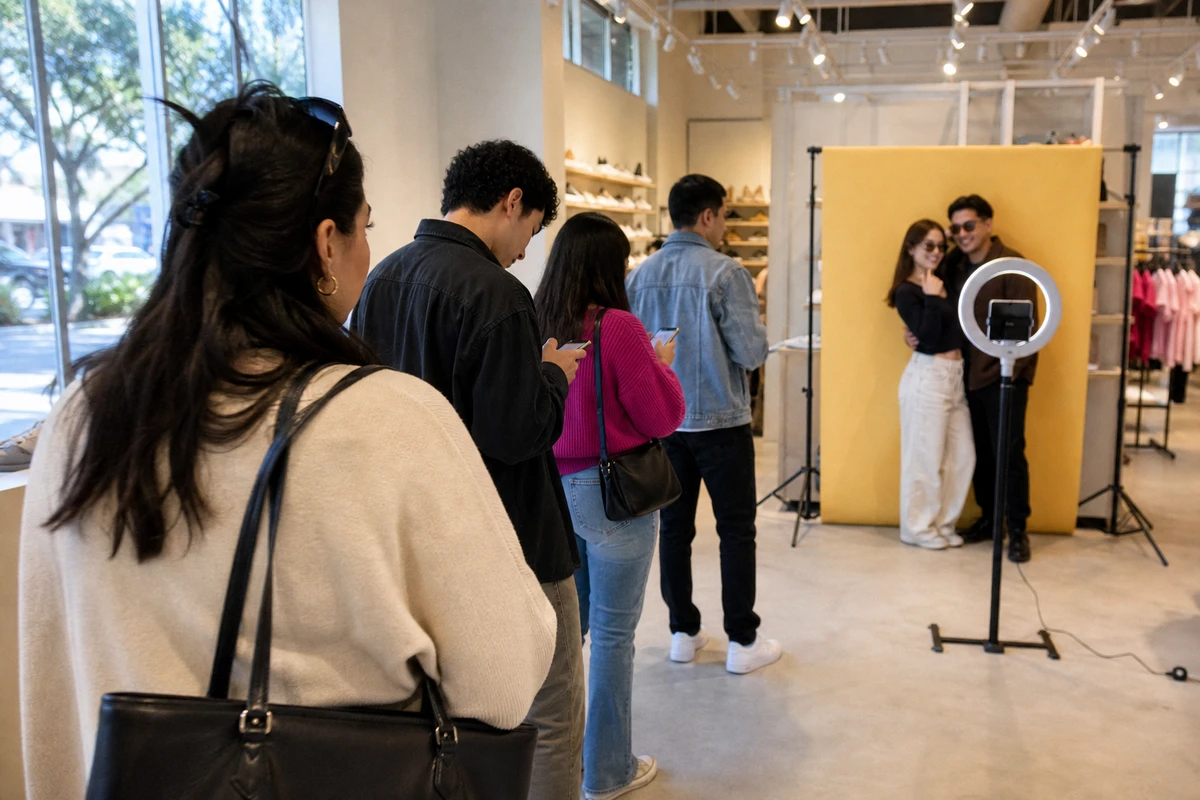
AI removal wins when floor space is tight, the constraint that defines most retail floors. It wins when the activation needs more than one background, or needs to change backgrounds without reprinting anything. It wins when the booth moves between locations or runs across several campaigns. And it wins when customers might wear any color, a promise chroma key cannot make.
It strains or fails in four situations, and each one bites harder in a store than at a staffed event.
Throughput
Throughput is the first. Cloud processing adds time to every photo. JujuBooth, a rental company candid about the downsides, puts AI session processing at “anywhere from 30 seconds to 5 minutes, depending on the level of AI” (JujuBooth, 2025). The upper end describes heavy AI transforms rather than plain background removal, which is faster, but even a fifteen-second wait builds a line when shoppers are queuing at a booth near the entrance. JujuBooth’s own warning is direct: AI booths are “probably not the move” for any event “that requires speedy output and fast line progression.”
Wi-Fi reliability
Wi-Fi is the second. Cloud removal stops the moment the connection drops. On-device removal is the mitigation, and that is the practical reason to name it: an operator worried about store network reliability should choose on-device AI or a printed backdrop, not cloud removal.
Edge quality
Edge quality is the third. Hair, fine edges, large props, and group shots are where segmentation still produces visible artifacts. JujuBooth notes that with AI group photos, “sometimes AI hallucinates and can bend genders, add people, or grow extra appendages” (JujuBooth, 2025). At a private event a flawed cutout is just a bad photo. At a brand activation it is bad branded content, because the customer texts it to themselves and posts it anyway with the brand’s name attached.
Supervision is the fourth, and it ties the other three together. A staffed booth has an operator who catches a bad cutout and reshoots. An unattended retail install does not, so whatever goes wrong goes out the door uncorrected. When the photo is the marketing asset, removal quality stops being a cosmetic preference and becomes a brand-safety question.
How to Decide
An operator with a booth to deploy and a budget to defend needs a short list of questions, not a verdict. None of them is “AI or backdrop” in the abstract.
Activation lifespan
Activation lifespan sets the baseline. A permanent install favors the fixed-cost backdrop, because months of recurring fees will eventually overtake it. A short pop-up or a rotating campaign favors AI removal, because the photo count stays low and the flexibility gets used while it lasts.
Photo volume
Volume decides the cost question. The crossover is plain arithmetic: divide the backdrop’s cost by the per-photo credit price to find the photo count where the two break even, then hold that against the booth’s realistic monthly capture rate.
Footprint
Footprint can override cost entirely. If the store cannot spare floor space for any backdrop wall, AI removal (ideally the on-device kind) is the practical answer whatever the arithmetic says.
Wi-Fi reliability rules out cloud removal when it is in doubt. An unattended booth on a shaky store network should run on-device AI or a printed backdrop, both of which keep working when the connection does not.
Background variety is the one factor that justifies the recurring cost on its own. If every photo should look identical and on-brand, a printed backdrop guarantees it. If the activation needs seasonal or campaign-specific looks, AI removal earns its fee.
Underneath all of it sits the reframe from the start. The booth needs a background for the photo and a presence in the room, and those are two separate line items. Budget for a modest physical element (a branded panel, an arch, a small structure) to pull foot traffic and make the activation visible. Then choose the background-control method on cost and flexibility. An operator who collapses the two into one decision usually ends up short one of the two things the activation needed.
Sources
- Breeze Software (2023). “Introduction to AI Based Background Removal.” https://www.breezesoftware.com/lessons/introduction-to-ai-based-background-removal
- Foto ATM (2026). “Software Pricing.” https://fotoatm.com/pricing/software-pricing/
- JujuBooth (2025). “The Truth About AI Photo Booths: What You Should Know Before Booking.” https://jujubooth.com/blog/the-truth-about-ai-photo-booths-what-you-should-know-before-booking
- PrintMoz (2026). “Custom Step and Repeat Banners.” https://www.printmoz.com/step-and-repeat-banner
- Retail TouchPoints (2026). “2026 Store Operations & Experience Benchmark Survey: Retailers Embrace Digital Tools to Nurture In-Store Engagement.” https://www.retailtouchpoints.com/resources/2026-store-operations-experience-benchmark-survey-retailers-embrace-digital-tools-to-nurture-in-store-engagement/617727/
- Snappic Help Center (2025). “Background Removal Types.” https://help.snappic.com/en/articles/8922997-background-removal-types
- Snapshot Photobooth (2023). “How We Use AI to Remove Backgrounds in Photo Booths without Green Screen Backdrops.” https://snapshotphotobooth.com/how-to-use-ai-to-remove-backgrounds-in-photo-booths-without-green-screen-backdrops/